pyffmpeg
A modern, type-safe Python wrapper for FFmpeg with automatic filter generation and full IDE support.


Documentation
Overview
pyffmpeg is a high-level Python library for advanced multimedia editing and processing. It provides an object-oriented interface to FFmpeg, eliminating the technical debt present in existing solutions through:
- Full type safety with complete type hints and annotations (PEP 484)
- Automatic code generation for ~500 audio and video filters from FFmpeg documentation
- IDE integration with context-aware autocompletion and error checking
- Backward compatibility with ffmpeg-python library for seamless migration
Key Features
🎯 Complete Type Safety
Every filter method includes full type annotations, enabling IDE autocompletion and static type checking with tools like mypy. No more referring to external documentation or risking typos.
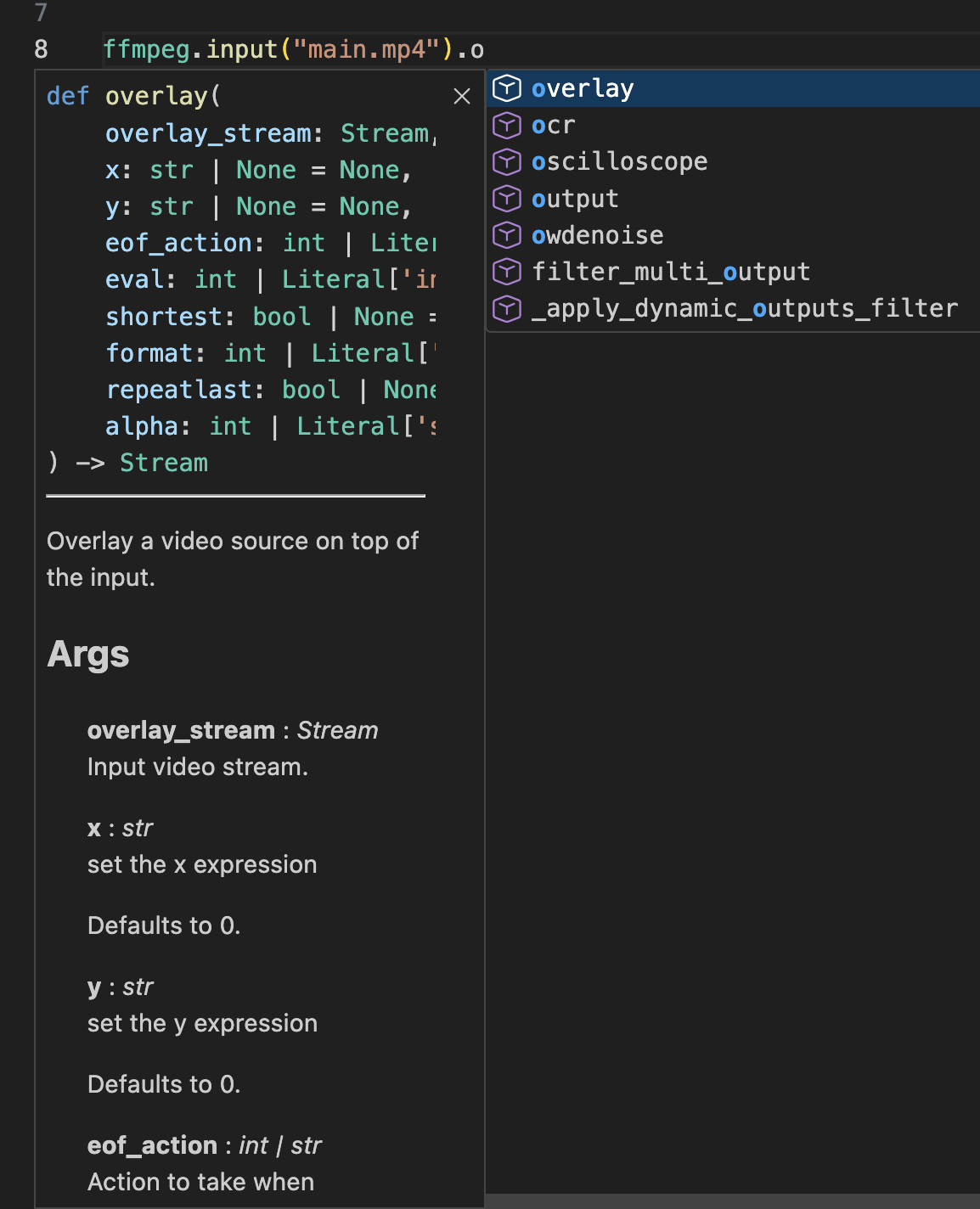 Example of IDE autocompletion and inline documentation
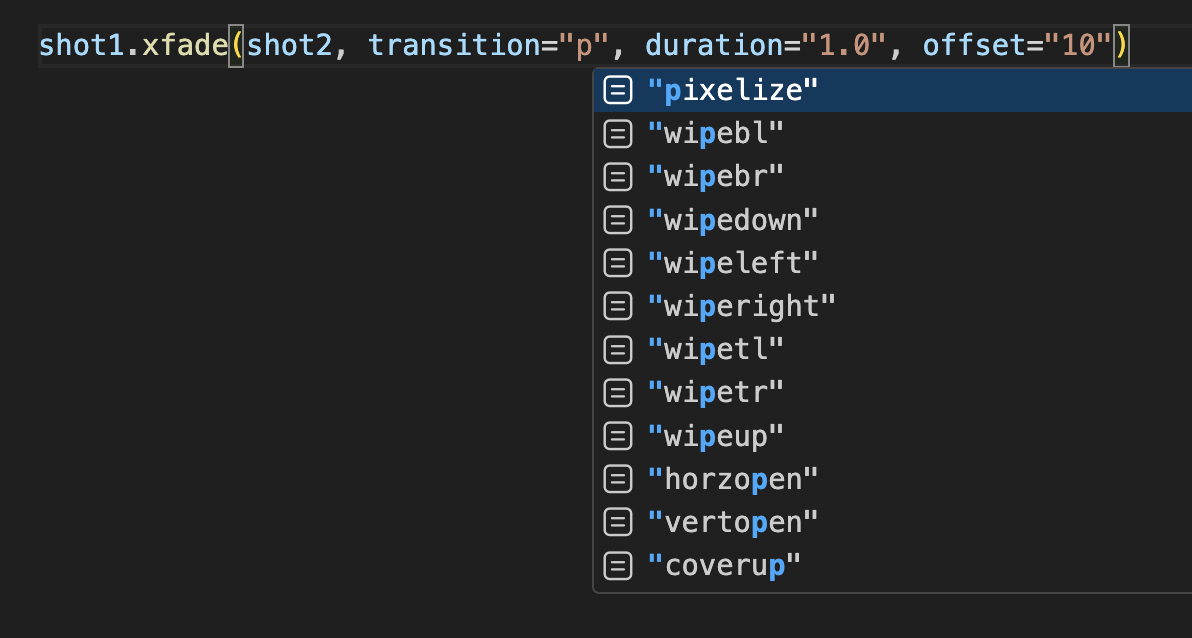 Example of IDE autocompletion in filter options
🤖 Automatic Filter Generation
The library dynamically generates Python bindings for all FFmpeg filters by parsing the official FFmpeg documentation. This ensures: - Support for nearly 500 filters out of the box - Possible updates with new FFmpeg versions - No manual maintenance required
📊 Graph-Based Processing Pipeline
Built on a Directed Acyclic Graph (DAG) engine that: - Models complex media processing pipelines as interconnected nodes - Automatically manages stream labels
🔄 ffmpeg-python Compatibility
Includes a dedicated compatibility layer (_compat) that allows existing ffmpeg-python code to run without modifications, while offering a modernized API for new projects.
Installation
pip install wut-ffmpeg
Or using uv (recommended):
uv add wut-ffmpeg
Quick Start
Basic Usage
import pyffmpeg as ffmpeg

# Simple video processing
stream = ffmpeg.input('input.mp4')
stream = stream.scale(width=1920, height=1080)
stream = stream.output('output.mp4')
stream.run()
Method Chaining (Fluent Interface)
import pyffmpeg as ffmpeg

(
    ffmpeg
    .input('input.mp4')
    .scale(width=1920, height=1080)
    .vflip()
    .output('output.mp4', vcodec='libx264')
    .run()
)
Multiple Inputs
import pyffmpeg as ffmpeg

# Load two video sources
main = ffmpeg.input('main_video.mp4')
logo = ffmpeg.input('logo.png')

# Overlay logo on main video
output = main.overlay(logo, x=10, y=10)
output.output('result.mp4').run()
Complex Filter Graph Example
import pyffmpeg as ffmpeg

# Sports broadcast scenario: overlay scoreboard and highlight player
court = ffmpeg.input('court.png')
score = ffmpeg.input('score.png').scale(w=600, h=-1)

overlayed = (
    court
    .overlay(score, x=30, y=30)
    .drawbox(x=100, y=310, width=100, height=210, thickness=10, color='red')
)

overlayed.output('result.png').run()
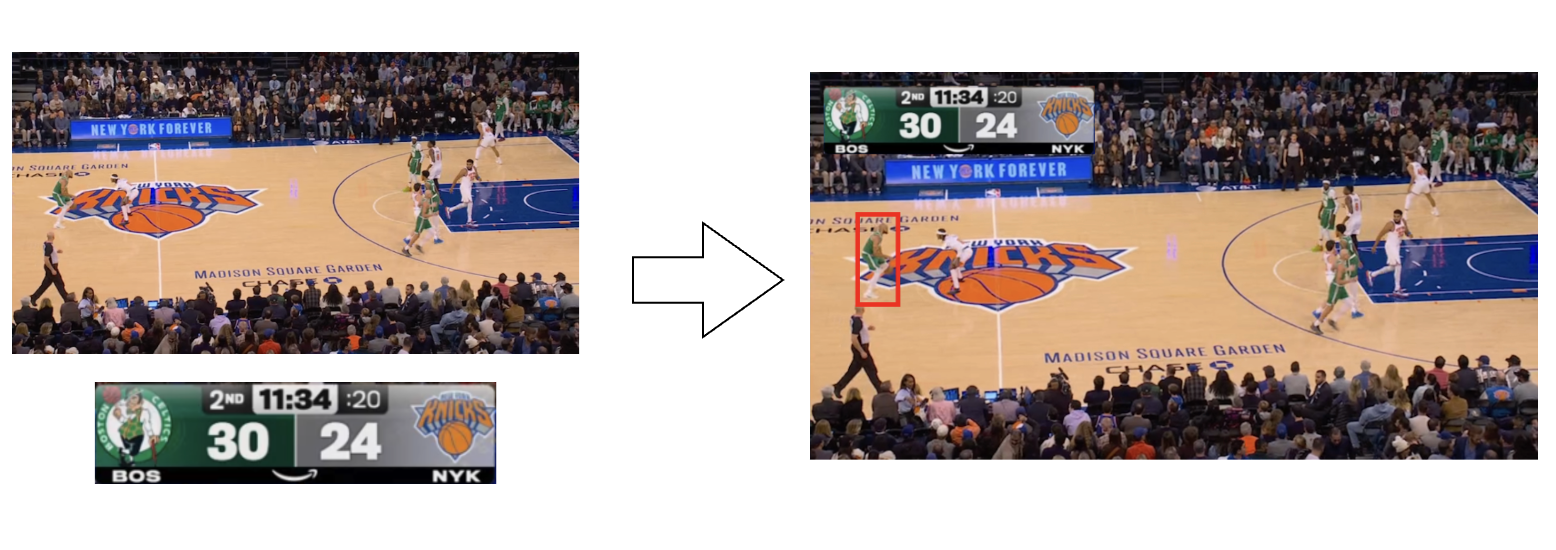 Example: Basketball court with overlaid scoreboard and player highlight (Image source: GeekWire)

Advanced Features
Multiple Outputs
Process one input into multiple outputs efficiently:
import pyffmpeg as ffmpeg

stream = ffmpeg.input('video.mp4')

mp4_output = stream.output('video.mp4', vcodec='libx264')
mkv_output = stream.output('archive.mkv', vcodec='copy')

# Run both outputs in a single FFmpeg process
ffmpeg.merge_outputs(mp4_output, mkv_output).run()
Working with Audio and Video Streams
import pyffmpeg as ffmpeg

input_stream = ffmpeg.input('movie.mp4')

# Access video and audio streams separately
video = input_stream.video
audio = input_stream.audio

# Process them independently
video = video.scale(width=1280, height=720)
audio = audio.volume(volume="0.8")

# Combine back together
output = ffmpeg.output(video, audio, filename='output.mp4')
output.run()
Source Filters
Generate synthetic media streams:
from pyffmpeg import sources

# Generate a colored background
background = sources.color(color='green', size='1920x1080', duration=3)
background.output('green_screen.mp4').run()
Asynchronous Execution
import pyffmpeg as ffmpeg

# Start processing without blocking
process = (
    ffmpeg
    .input('long_video.mp4')
    .output('compressed.mp4')
    .run_async()
)

# Do other work while processing
do_other_work()

# Wait for completion
process.wait()
Command Inspection
Preview the generated FFmpeg command before execution:
import pyffmpeg as ffmpeg

stream = ffmpeg.input('video.mp4').vflip().output('flipped.mp4')

# Get the command arguments
args = stream.compile()
print(args)
# ['ffmpeg', '-i', 'video.mp4', '-filter_complex', '[0]vflip[s0]', '-map', '[s0]', 'flipped.mp4']
Requirements
- Python 3.10+
- FFmpeg installed and available in PATH
Setting Up Development Environment
# Clone the repository
git clone https://github.com/mkan1ewski/pyffmpeg.git
cd pyffmpeg

# Install dependencies
uv sync

# Run tests
uv run pytest

# Code formatting
uv run ruff format
Regenerating Filter Bindings
To regenerate filter bindings for your FFmpeg version:
uv run python -m pyffmpeg.script
This will:
1. Query your installed FFmpeg version
2. Parse filter documentation
3. Generate type-safe Python methods in generated_filters.py
4. Generate source filter functions in sources.py
Migration from ffmpeg-python
pyffmpeg is designed for seamless migration from ffmpeg-python. Simply change your import:
# Old code
import ffmpeg

# New code - 100% compatible
from pyffmpeg import _compat as ffmpeg
Or use the modern API for new code:
# Modern API with full type safety
import pyffmpeg as ffmpeg
License
This project is licensed under the MIT License - see the LICENSE file for details.
Acknowledgments
- Inspired by ffmpeg-python by Karl Kroening
- Built on top of the excellent FFmpeg project
- Uses Jinja2 for code generation
Author
Maciej Kaniewski - GitHub